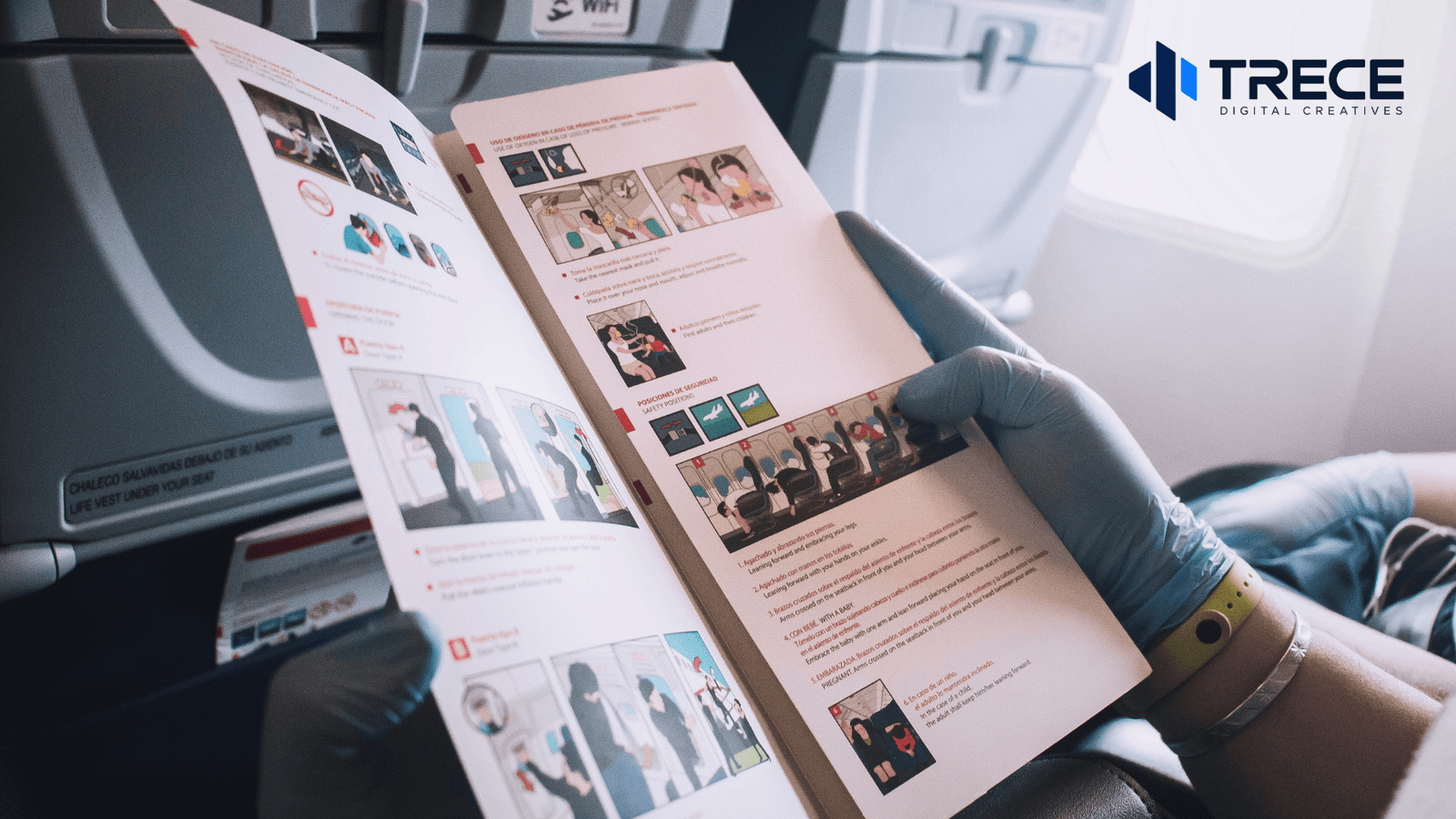


What Should a Brochure Have? A business brochure should have a clear headline, your company name and logo, a brief explanation of your products or services, important customer benefits, relevant images, accurate contact information, and a clear call to action.
But knowing what a brochure should have is only the first step. Before printing, you also need to check whether the information is accurate, the layout works when folded, and the design meets your printer’s requirements.
A brochure can look professional on a computer screen and still have problems when printed. Text may be too small, images may appear blurry, important information may sit too close to a fold, or an incorrect phone number may make it difficult for customers to contact you.
This guide explains what to include in your brochure, what to double-check before printing, and how to avoid mistakes that could require an expensive reprint.
What Information Should Every Business Brochure Include?
The content of your brochure should help potential customers understand your business and decide what to do next.
Not every brochure needs the same amount of information. A small promotional brochure may introduce one service, while a detailed company brochure may explain several products, service options, and technical details.
However, most business brochures benefit from the following essentials.
1. Business Name, Logo, and Clear Headline
Your business name and logo help readers identify your company, while the headline explains what the brochure offers.
Avoid relying on your business name alone to communicate your message.
For example, instead of using a generic headline such as “Our Professional Services,” a home improvement company could use “Home Renovation and Remodeling Services.”
A specific headline immediately tells customers what they can expect to learn.
2. A Short Business Introduction
Explain what your company does, who you serve, and what makes your services relevant to the reader.
Keep the introduction focused on useful information rather than a long company history.
For a service business, two or three sentences may be enough to establish the purpose of the brochure.
3. Products or Services With Useful Details
Include your main offerings and explain them in simple language.
For each product or service, consider adding:
- A clear service or product name
- A short description of what it includes
- The problem it helps solve
- Available options or important specifications
- Relevant benefits for the customer
Avoid listing services without context. Customers should understand what each offering involves, even if they are unfamiliar with your industry.
4. Customer Benefits and Supporting Information
Customers generally want to understand how a product or service meets their needs.
Instead of filling the brochure with broad statements about quality, explain practical advantages.
For example, a business offering flexible appointment scheduling could describe how customers can arrange services around their business hours.
If you include certifications, testimonials, statistics, warranties, or performance claims, make sure they are accurate and supported.
5. Relevant Images and Consistent Branding
Use photographs, illustrations, and graphics that help explain your message.
Product photos can show available options, while service images can help customers understand the type of work offered.
Keep your brand colors, typography, and visual style consistent throughout the brochure.
Every image should serve a purpose. Adding more photographs does not automatically improve the design.
6. Contact Information and a Clear Call to Action
Give customers an easy way to continue after reading.
Depending on your business, include your website, phone number, email address, location, or service area.
Your call to action should tell readers what to do next, such as:
- Request a Quote
- Schedule a Consultation
- View Available Products
- Contact Our Team
A QR code can direct customers to a website, contact form, or online catalog. However, it should not be the only way to access essential contact information.
For a more detailed explanation of brochure content, see our Business Brochure Content Checklist.
What Details Should You Double-Check Before Printing?
Once the content is complete, review every detail that could become outdated, misleading, or difficult to correct after printing.
Printed brochures cannot be updated as easily as websites. Even a small mistake can affect an entire batch.
Confirm Prices, Promotions, and Important Dates
If your brochure includes prices or promotional offers, check whether the information will remain accurate during distribution.
For example, imagine a business prints 1,000 brochures advertising a limited-time discount. If the promotion ends before the brochures are distributed, customers may receive information that is no longer valid.
Before printing, verify:
- Prices, fees, and relevant conditions
- Promotional start and end dates
- Product availability and specifications
- Event dates and locations
- Applicable exclusions or limitations
If your business frequently changes prices, consider directing customers to your website for current pricing rather than printing figures that may quickly become outdated.
Verify Names, Contact Details, and Website Links
Check every piece of contact information against your current business records.
Pay particular attention to phone numbers, website addresses, email addresses, and physical locations.
Test your QR codes using a mobile phone. Confirm that each code opens the correct page and that the destination works without special access.
A working QR code during design does not guarantee that its destination will remain available later. Use a reliable page that your business intends to maintain.
Review Claims and Supporting Evidence
Do not print statements that you cannot verify.
This is especially important for technical specifications, product performance claims, certifications, customer testimonials, and warranty information.
If a claim comes from a manufacturer, review the current manufacturer documentation. If a testimonial comes from a customer, confirm that you have permission to publish it.
Keep important conditions close to the related statement so readers do not misunderstand the offer.
How Should You Organize a Brochure for Printing?
A brochure should make sense not only when viewed as a flat design but also when someone picks it up and opens it.
The correct arrangement depends on the brochure format.
| Brochure format | Best suited for | Important consideration |
| Bi-fold | Company introductions, focused service presentations, and larger images | Four panels must follow a logical reading order |
| Tri-fold | Compact business overviews, short service descriptions, and promotional materials | Six panels require careful fold positioning |
| Multi-page brochure | Detailed services, product comparisons, catalogs, and technical information | Page order, binding, and navigation need attention |
| Digital PDF | Email sharing, downloads, and online presentations | Readability, clickable links, and file size matter |
Check the Front Cover and Reading Order
Your front cover should explain the brochure’s main subject without requiring customers to open it first.
Inside, arrange information in an order that supports the reader’s decision.
A practical sequence is:
- Introduce the business or offer.
- Explain the main products or services.
- Present benefits and relevant details.
- Address important questions or comparisons.
- Provide a clear next step.
The exact placement changes depending on the fold style.
Before finalizing a folded brochure, print a simple paper mockup and fold it in the same direction as the finished product.
This helps identify misplaced panels before the design reaches the printer.
Keep Important Text Away From Fold Lines
Fold lines can interrupt text, photographs, or graphics if the layout does not provide enough space.
Avoid placing important words, faces, logos, or QR codes directly across a fold.
Some folding styles also require panels of slightly different widths so the brochure closes properly.
Ask your printer for the correct folding template instead of assuming every panel should have identical dimensions.
What Makes a Brochure Ready for Professional Printing?
Even when the brochure content is complete, the design file must meet the technical requirements of the printing service.
These requirements affect image quality, trimming, color appearance, and the finished brochure’s physical dimensions.
Correct Page Size and Trim Dimensions
Choose the brochure’s finished dimensions before completing the layout.
Common starting formats include US Letter-sized folded brochures, but the correct dimensions depend on the intended use and your printer’s available products.
Confirm both the flat sheet size and the dimensions after folding.
If you design using the wrong measurements, text and images may need to be repositioned before printing.
Proper Bleed and Safe Margins
Bleed is the extra artwork that extends beyond the finished trim edge. It helps prevent unwanted white edges when a design is cut.
A common print bleed is 0.125 inches, or approximately 3 mm, but requirements vary by printer.
According to Adobe’s guide to setting print bleed, some print providers may require a larger bleed area.
Keep backgrounds and edge-to-edge images extended into the bleed area. Place important text, logos, and contact details within the safe margins.
Bleed and safe margins serve different purposes: bleed protects the appearance of the trimmed edge, while safe margins protect important content from being cut off.
Images With Suitable Print Resolution
An image that looks sharp on a phone may appear blurry when enlarged for printing.
Many print workflows use 300 pixels per inch at the image’s intended physical size as a high-quality target.
However, the appropriate resolution depends on the image, printing method, and production requirements.
Avoid using small website thumbnails, heavily compressed images, or screenshots for large brochure photographs.
Whenever possible, use original high-resolution image files or vector graphics for logos and illustrations.
Appropriate Color Settings
Screen colors and printed colors can look different because monitors emit light while printed materials use ink on paper.
Many commercial printing workflows use CMYK color settings, although some printers accept RGB files and manage color conversion themselves.
Ask your printer which color profile or output settings to use.
Paper type and finishing choices can also affect the final appearance, so review a physical sample when color accuracy is particularly important.
The Correct Print File Format
Many printing services accept high-quality PDF files, but their requirements may differ.
Confirm the necessary PDF standard, page arrangement, bleed settings, and whether crop marks are required.
If you prepare your brochure in Canva, its PDF Print export option supports high-resolution output and printing-related settings.
Canva also provides guidance for margins, bleed, and crop marks.
Do not assume that every PDF is automatically ready for professional printing. Exporting a design is only one part of preparing it correctly.
How Do Paper and Finishing Choices Affect Your Brochure?
The appearance of your brochure also depends on the physical materials used.
Before placing a print order, consider how customers will handle and use it.
Paper Weight
Paper weight affects the brochure’s thickness, feel, and flexibility.
Lighter paper can be suitable for high-volume promotional handouts. Heavier stock may provide a more substantial feel for presentations or premium marketing materials.
However, thicker paper may require special folding treatment to prevent cracking along the crease.
Ask your printer which paper weights work best with your preferred format.
Matte or Gloss Finish
Matte and gloss finishes create different visual effects.
A matte finish generally provides a less reflective surface, which may be useful for brochures containing substantial text.
A gloss finish can emphasize photographs and colorful graphics, although reflections may affect readability under certain lighting conditions.
The better choice depends on the content, brand style, lighting, and intended use.
Quantity and Distribution Method
Think about how many brochures you need and where customers will receive them.
A brochure used during a business meeting may benefit from a different paper choice than one distributed at a large event.
Print quantity also affects total production cost and the consequences of content errors.
If you plan to mail a folded brochure without an envelope in the United States, check the USPS requirements for folded self-mailers. Postal standards can affect the acceptable dimensions, paper weight, folding arrangement, and sealing method.
A standard tri-fold brochure is not automatically suitable for every mailing method.
A Practical Example: Checking a Brochure Before Printing
Consider a hypothetical home remodeling company preparing a six-panel brochure for a local marketing campaign.
The brochure includes a company introduction, remodeling services, project photographs, and contact information.
The initial design looks professional, but the final review identifies several issues.
| Problem found | Recommended correction |
| The cover says only “Quality You Can Trust” | Add a clear description of the remodeling services |
| A service photo looks blurry | Replace it with a higher-resolution original |
| The phone number is outdated | Verify and update the contact information |
| The QR code opens an old webpage | Replace it with the correct destination and test it |
| Important text sits close to a fold | Reposition the text within the safe area |
| The file has no required bleed | Adjust the file to match the printer’s specifications |
These corrections may seem minor individually, but fixing them before printing avoids distributing inaccurate or poorly presented information.
The important lesson is that brochure approval should cover the message, the design, and the production file—not just how attractive the layout appears.
Final Brochure Checklist Before You Send It to Print
Use this checklist after the design has been completed and before approving the printing order.
Step 1: Review the Content
- The headline clearly explains the main offer.
- The business name and logo are correct.
- Product and service descriptions are accurate.
- Customer benefits are understandable.
- Prices, dates, specifications, and promotions have been verified.
- Contact information is current.
- The call to action is easy to find.
- Images and testimonials are approved for use.
Step 2: Review the Design
- Text is readable at the actual printed size.
- Images are clear and relevant.
- Brand colors, fonts, and spacing are consistent.
- The brochure has enough space between important elements.
- No essential information is placed across fold lines.
- The front cover and back cover are correctly positioned.
- QR codes are readable and working.
Step 3: Review the Print Specifications
- Finished dimensions match the print order.
- Fold placement matches the printer’s template.
- Bleed and safe margins meet the printer’s requirements.
- Image resolution is suitable for the final size.
- Color settings meet the printer’s requirements.
- The PDF export settings are correct.
- Paper stock, finish, quantity, and delivery details are confirmed.
Step 4: Approve a Final Proof
Review the exported file instead of relying only on the editable design.
When possible, print a physical sample at the intended size.
Adobe recommends reviewing a printed brochure sample to check text size, spacing, proportions, and color appearance.
For a folded brochure, physically fold the sample and read it in the order a customer would.
Have someone who did not create the design review the final version. A second person may notice spelling errors, unclear descriptions, or incorrect information that the original reviewer overlooked.
After approval, save the exact final file used for production so everyone works from the same version.
Common Brochure Printing Mistakes to Avoid
Several mistakes can make an otherwise good brochure less useful.
Trying to include too much information. A crowded brochure is harder to read. Focus on what customers need to make a decision and direct them to your website for additional information.
Choosing the layout before understanding the content. A tri-fold may work for a short introduction but become cramped when you need detailed explanations or product comparisons.
Using images without checking print quality. Always review image resolution at the actual size rather than judging appearance only on a computer screen.
Ignoring the printer’s specifications. Incorrect dimensions, missing bleed, or unsuitable file settings can delay production or create unwanted results.
Skipping the final proof. A completed digital design is not the same as an approved printed brochure. Reviewing a physical sample can reveal problems that were difficult to notice on screen.
Printing information that changes frequently. Consider whether prices, offers, schedules, and other time-sensitive details will remain accurate throughout the brochure’s expected use.
Avoiding these mistakes can reduce unnecessary revisions and help protect your printing budget.
Should You Design the Brochure Yourself or Hire a Designer?
You can create a brochure yourself using design software or an existing template, particularly if the project is simple and you already have approved content, suitable images, and clear brand guidelines.
For more complex brochures, professional design support may be useful.
Consider the following questions:
- Does the brochure need a custom layout rather than a standard template?
- Are there several products, services, or technical details to organize?
- Do you need to maintain consistent branding across multiple pages?
- Will the brochure be professionally printed in large quantities?
- Do you have the time and experience to check print-production requirements?
If your content is straightforward and your budget is limited, a well-organized template may be enough.
If the brochure represents an important sales presentation, requires detailed comparisons, or involves a complicated layout, professional design support can help organize information and prepare it for its intended use.
The goal is not to make the brochure unnecessarily elaborate. It is to present your business clearly while using a design approach that fits your requirements and budget.
Get Professional Brochure Design Support From Trece Digital Creatives
A brochure should do more than look attractive. It should explain your business clearly, help customers understand your products or services, and make the next step easy.
Trece Digital Creatives is a Philippines-based creative business providing professional design support to businesses in the United States and internationally.
We focus on clear communication, organized layouts, consistent branding, and practical design solutions without unnecessary agency complexity. Whether you need a new brochure or improvements to existing marketing materials, we can discuss a project scope that fits your needs and budget.
Explore our Marketing Materials Design services to learn more about our brochure design support.
You can also get started with our free 2-hour trial task to experience our creative support before discussing a larger project.